Notification settings in DMLY allow you to control how and when you receive alerts about conversations, assignments, and important system events. Proper notification configuration helps your team respond faster and stay organized.
To access the notification settings, go to Settings > Notifications
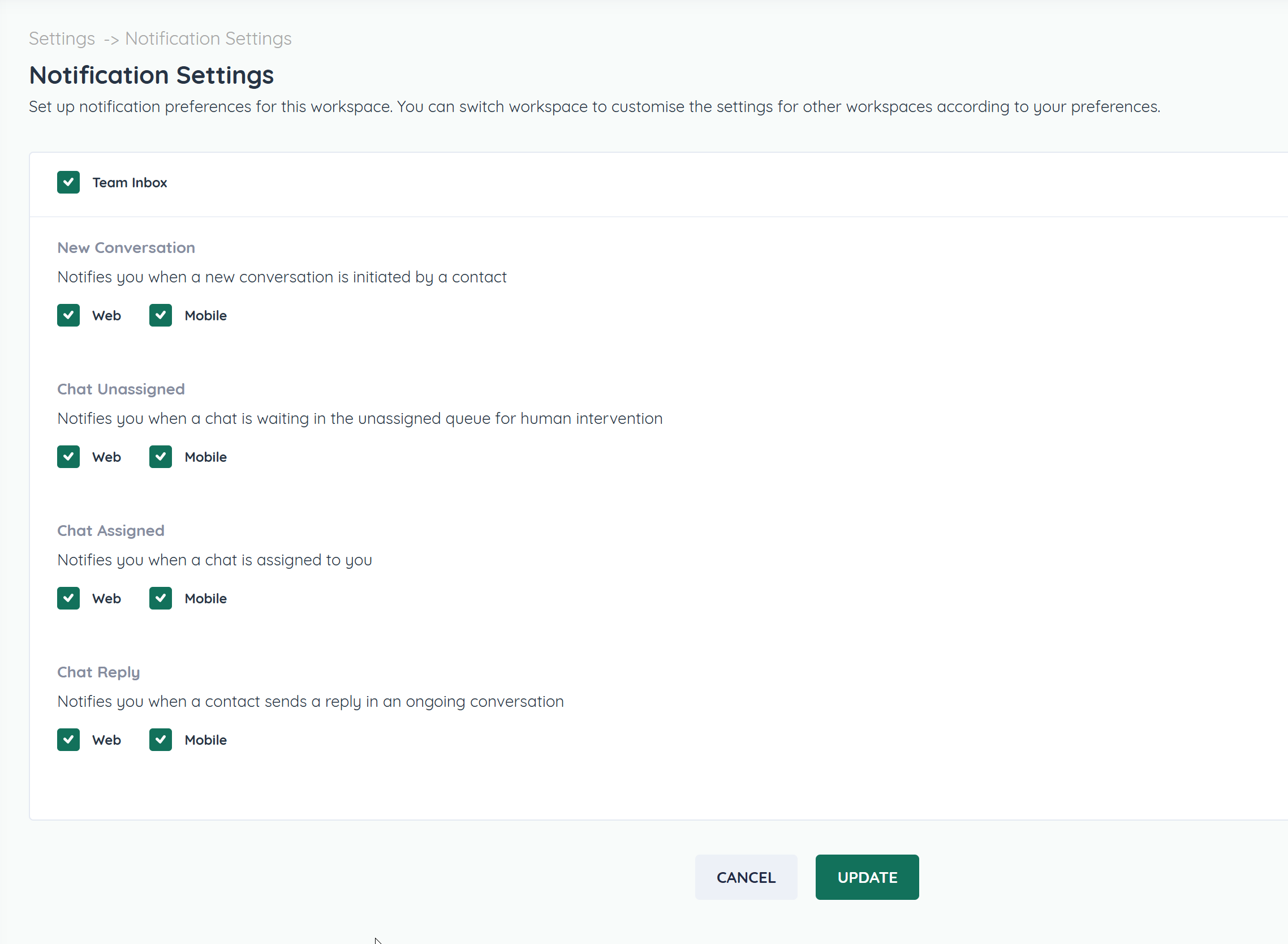
You can enable or disable the various notifications options.
Notifications help you stay informed about important activity.
You can control:
New message alerts
Assignment notifications
System or account updates
Enable or disable notifications based on how you want to be alerted.
