Connect your Instagram Business account to DMLY to manage Instagram Direct Messages inside your unified Team Inbox, alongside WhatsApp, Messenger, Telegram, and Live Chat.
Ensure the following requirements are completed before starting the connection process:
Your Instagram account must be a Professional Account
The account type must be set to Business
To switch:
Go to Instagram → Settings
Select Account
Choose Switch to Professional Account
Select Business
Your Instagram Business account must be connected to a Facebook Page.
To verify:
Go to your Facebook Page
Open Page Settings
Confirm the Instagram account is linked
Go to Instagram → Settings and Privacy
Tap Messages and Story Replies
Open Message Controls
Scroll down and enable Allow Access to Messages
Without this setting enabled, DMLY cannot receive Instagram messages.
Open the DMLY app.
Log in with your credentials.
Select the appropriate workspace.
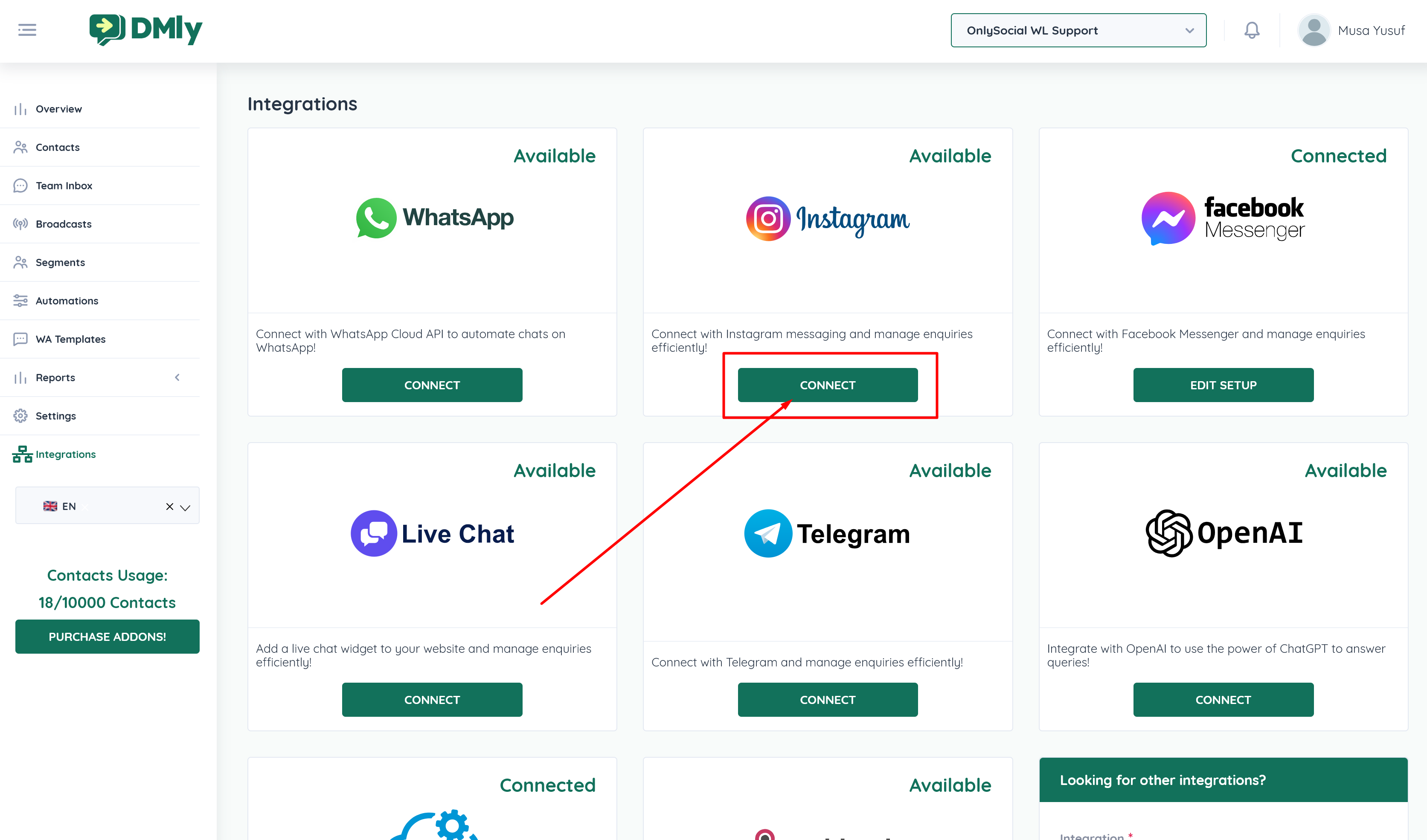
Click Integrations from the left sidebar.
Under Instagram, click the CONNECT button
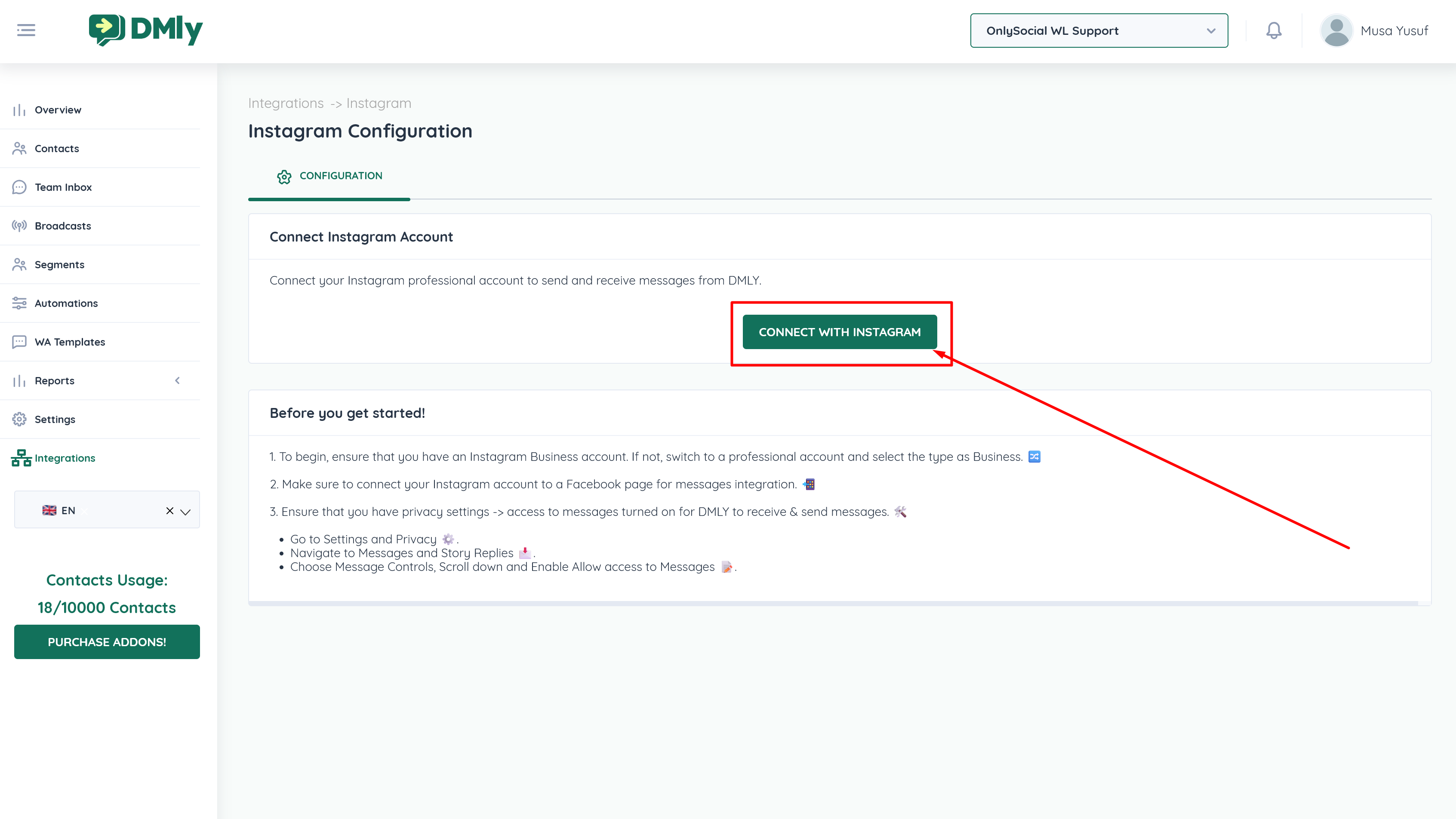
Click Connect with Instagram.
A Facebook login popup will appear.
⚠ You must log in with the Facebook account linked to your Meta Business.
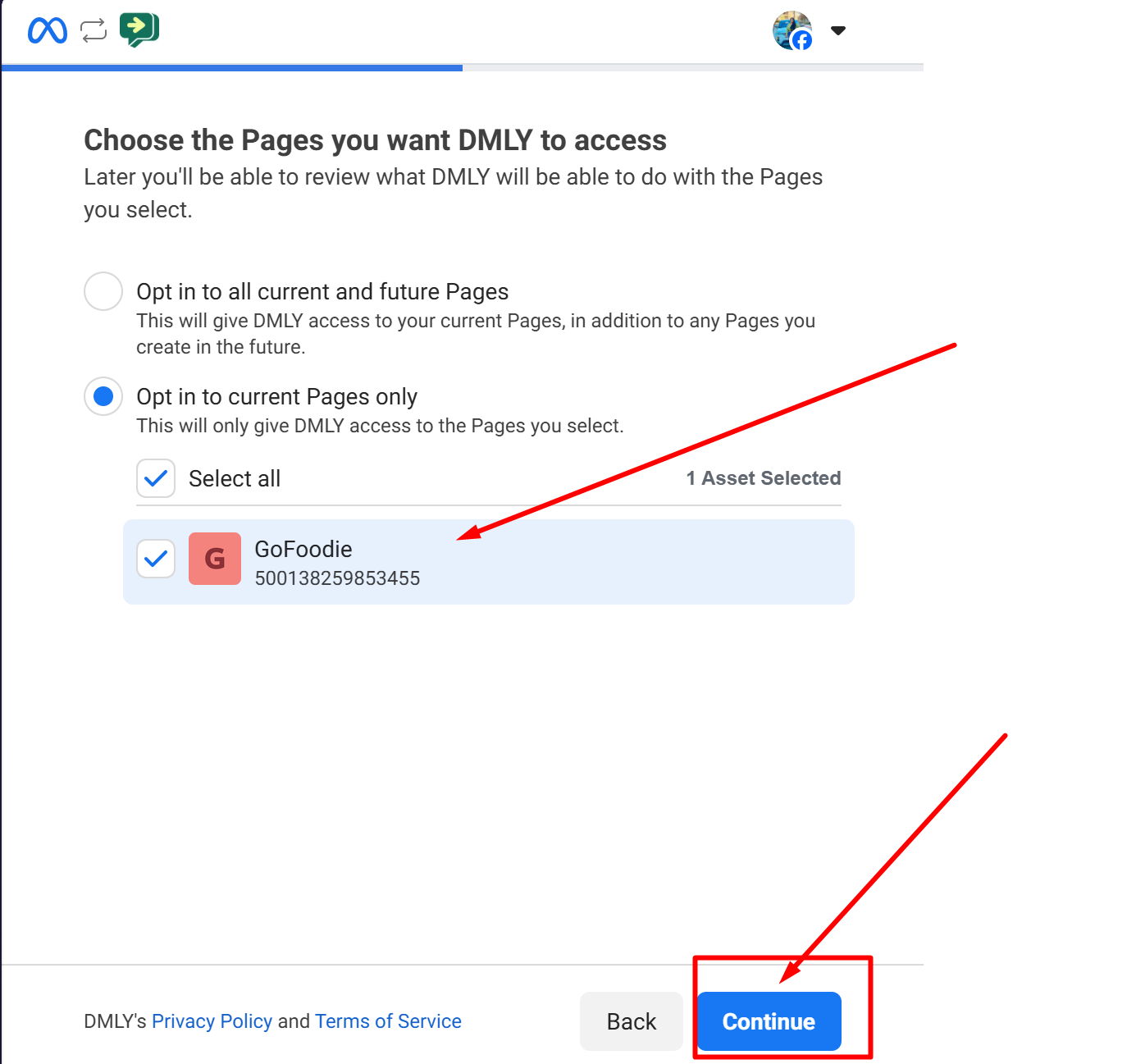
Choose the Facebook Page linked to your Instagram account.
Example: ABC Business
Click Next.
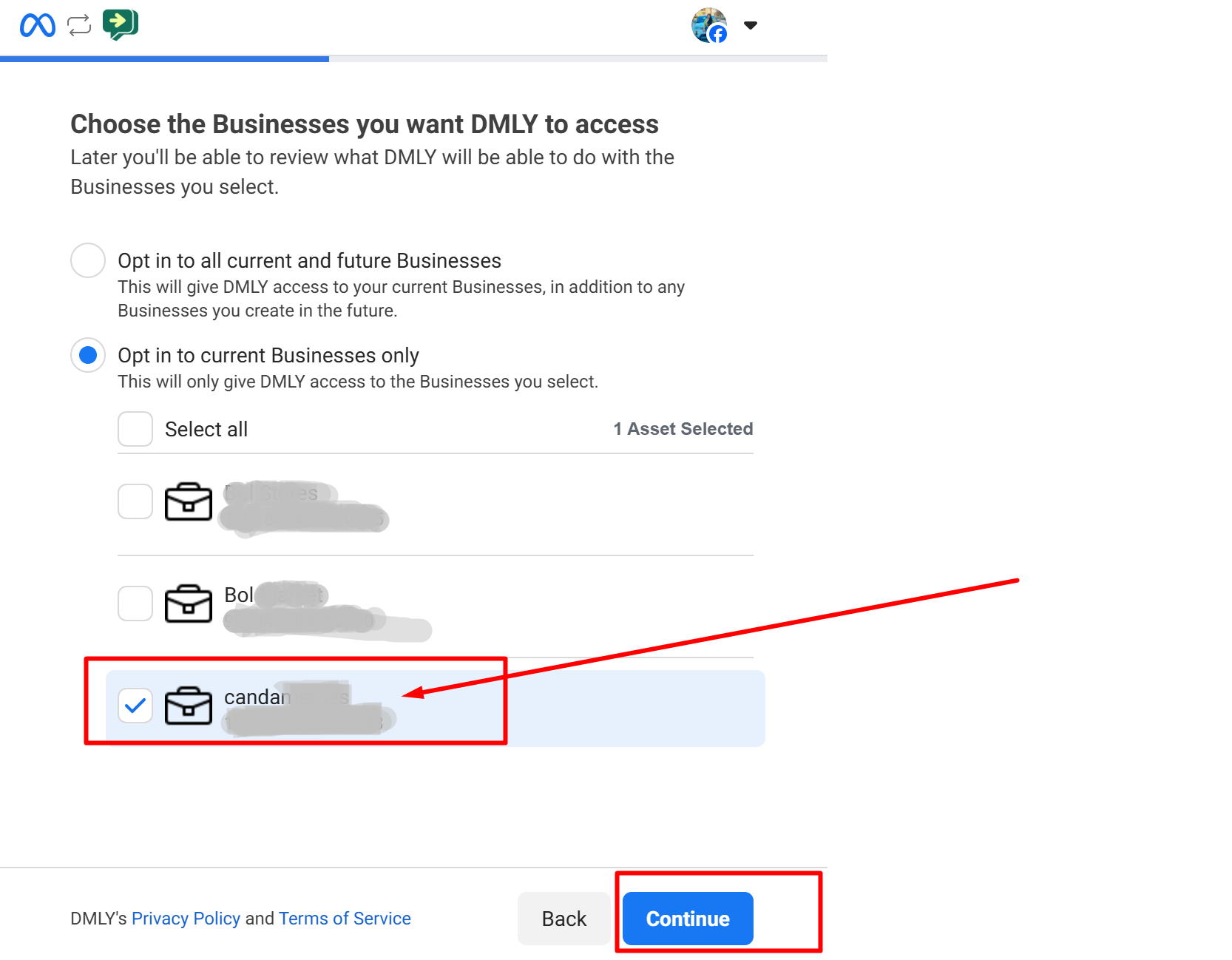
Choose the Meta Business Account associated with the selected Facebook Page.
Example: ABC Business
Click Next.
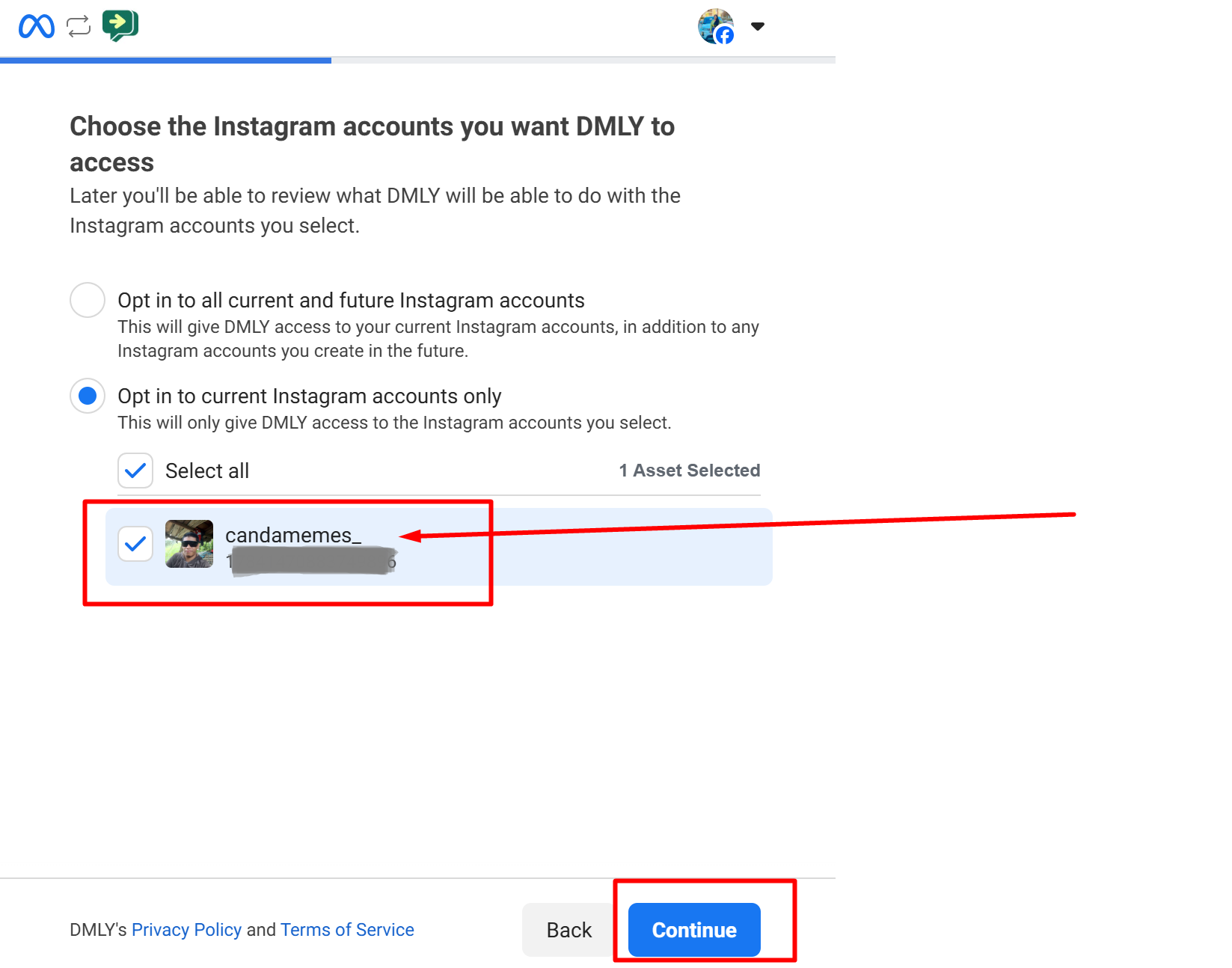
Choose your Instagram Business Account.
Example: abc_business_new
Click Next.
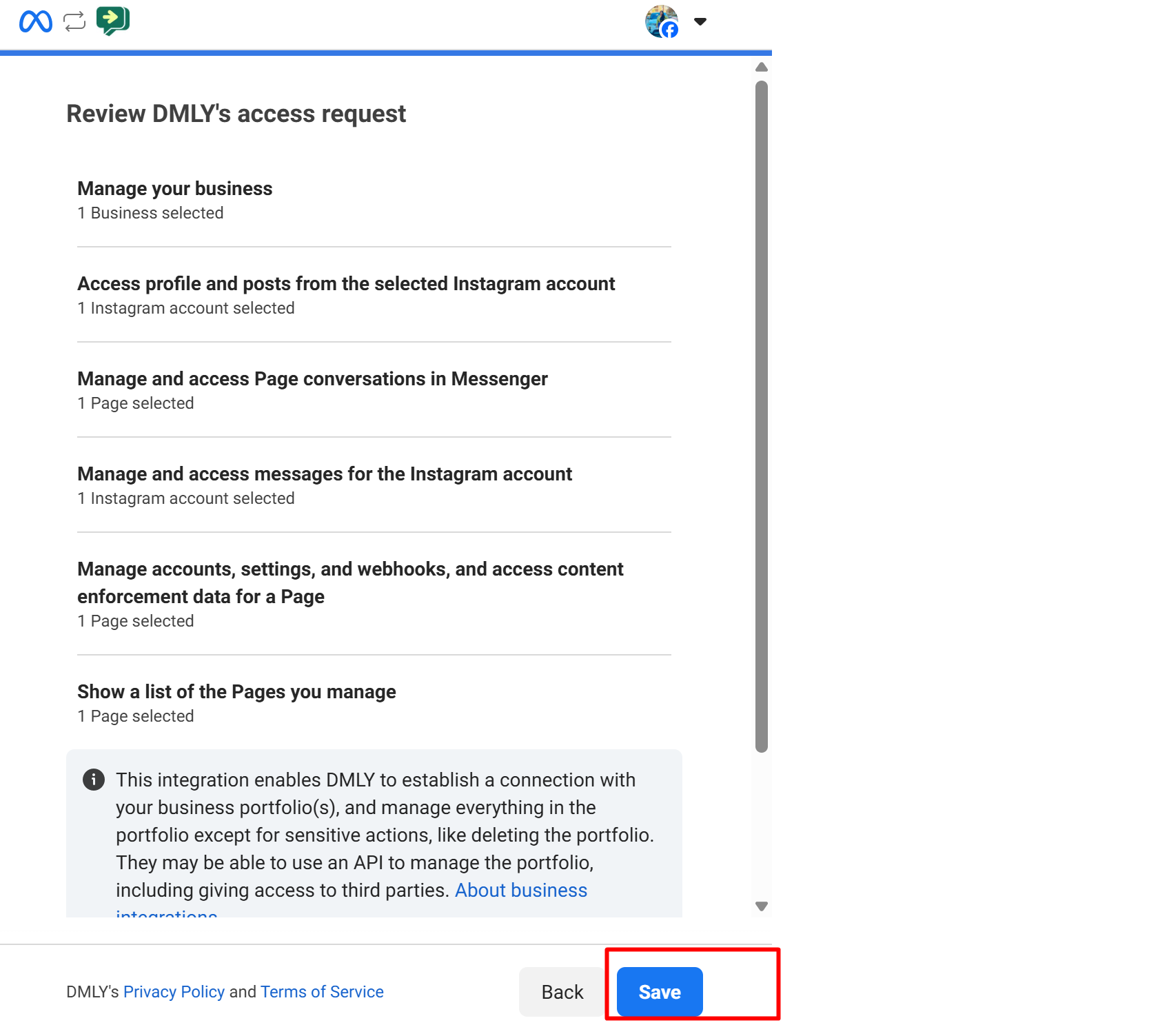
Click Save.
Within a few seconds, the integration status will show Connected.
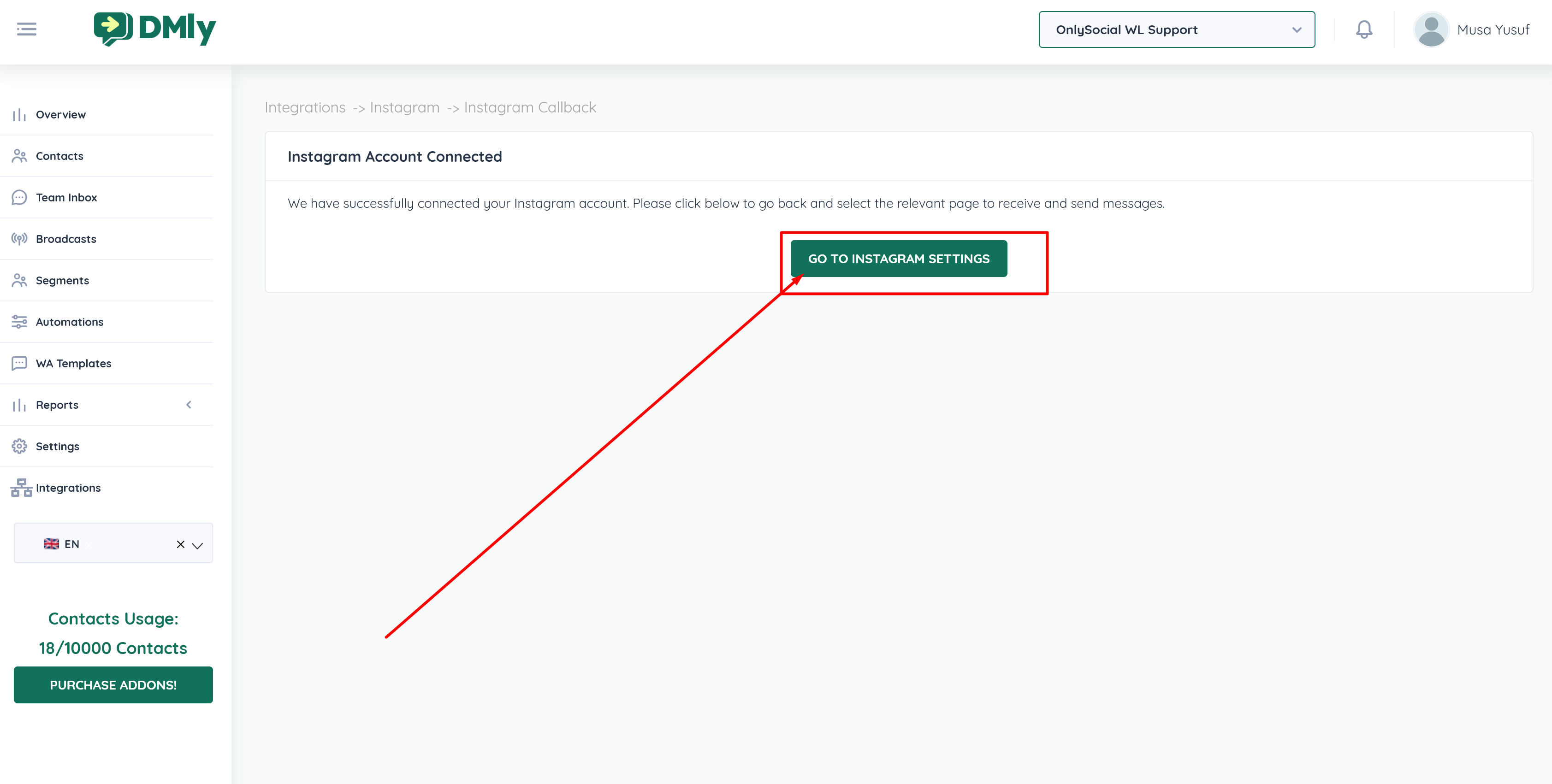
Click Go To Instagram Settings.
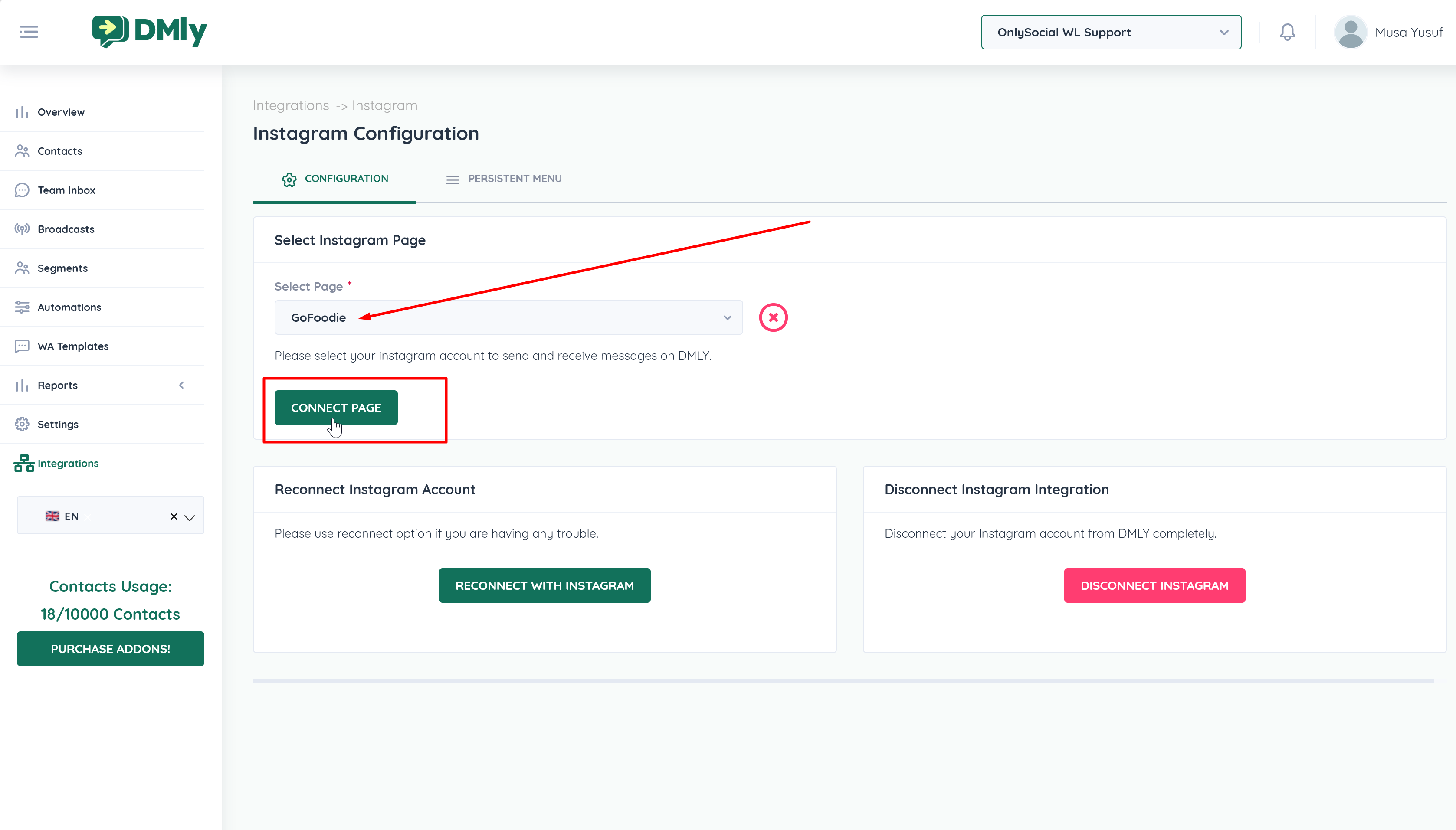
Select the Facebook Page linked to the Instagram Profile.
Click Connect Page to complete the integration.
Once connected:
Instagram DMs will appear in the Team Inbox
Agents can reply directly from DMLY
Conversations can be assigned to team members
Automations can respond to Instagram messages
Message history will be stored within the workspace
To confirm everything is working:
Send a DM to your Instagram Business account.
Check the Team Inbox in DMLY.
Confirm the message appears and can be replied to.
If connection fails:
Confirm the account is set to Business (not Creator or Personal)
Ensure Instagram is linked to the correct Facebook Page
Verify “Allow Access to Messages” is enabled
Make sure you logged in with the correct Meta Business account
Disconnect and reconnect the integration if necessary
