Scheduling allows you to control exactly when your broadcast is sent. Instead of sending immediately, you can choose a future date and time to optimize engagement and maximize results.
This is especially useful for:
Holiday campaigns
Product launches
Flash sales
Event reminders
Time-zone-specific messaging
When creating a new broadcast, you’ll see the Broadcast Schedule field.
You can:
Leave it empty → Broadcast runs immediately after saving.
Select a specific date and time → Broadcast runs at the scheduled moment.
If no schedule is provided, DMLY automatically sends the broadcast instantly.
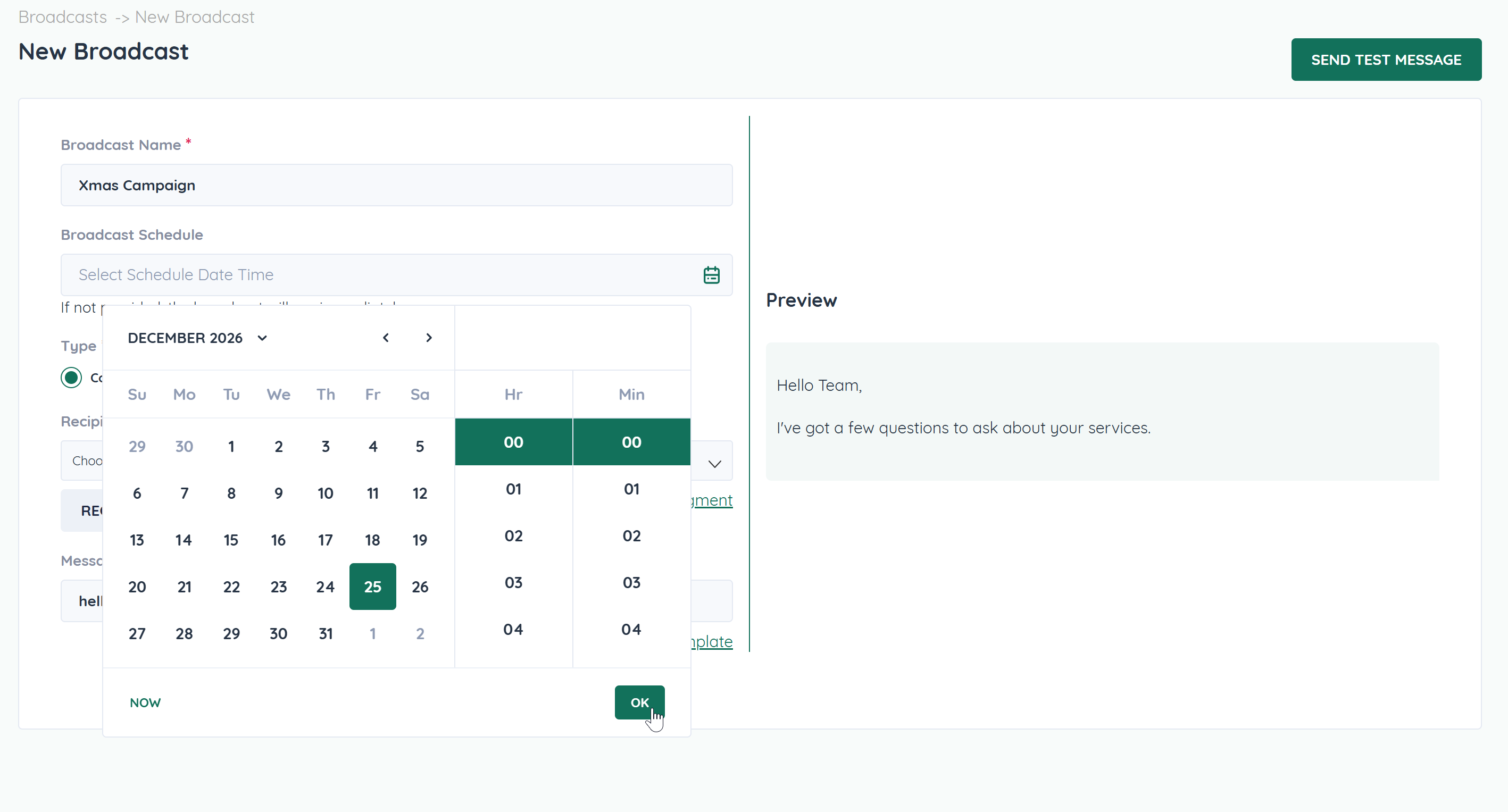
Go to Broadcasts → New Broadcast.
Fill in:
Broadcast Name
Type (Contact or Retarget)
Recipients
Message Template
Click Select Schedule Date Time.
Choose:
Month
Date
Hour
Minute
Click OK.
Click Save to confirm the scheduled broadcast.
Your campaign will automatically run at the selected time.
Sending at the right time can significantly increase:
Open rates
Reply rates
Click-through rates
Conversions
For example:
Promotions perform better during business hours.
Reminders work best a few hours before an event.
Holiday campaigns should be sent at peak engagement periods.
If your audience spans multiple regions:
Schedule broadcasts based on your primary customer time zone.
Avoid sending late at night.
Consider segmenting by country and scheduling separately.
Smart timing = higher engagement.
You’re running a Christmas campaign.
Instead of sending on December 24 randomly:
Schedule for December 25 at 9:00 AM.
Ensure recipients receive the message at the right moment.
Increase relevance and emotional impact.
Timing enhances message effectiveness.
A powerful workflow:
Schedule initial broadcast.
Wait 24–48 hours.
Create a Retarget broadcast.
Schedule follow-up reminder.
This structured timing builds a multi-step conversion funnel.
Once scheduled, the broadcast will run automatically.
Editing a scheduled broadcast before its run time updates the campaign.
If you need to stop a scheduled broadcast, delete or modify it before execution.
Always verify:
Recipients count
Correct workspace
Correct template
Time selection
✅ Schedule during peak engagement hours
✅ Avoid weekends unless relevant
✅ Use urgency for time-sensitive campaigns
✅ Send test message before saving
✅ Double-check selected date and time
✅ Combine scheduling with segmentation
Scheduling is not just about convenience — it’s about strategy.
The right message at the wrong time underperforms.
The right message at the right time converts.
Use scheduling to:
Increase precision
Improve engagement
Structure multi-step campaigns
Build predictable conversion flows
